Leica ASP300 Manuale Utente Pagina 1
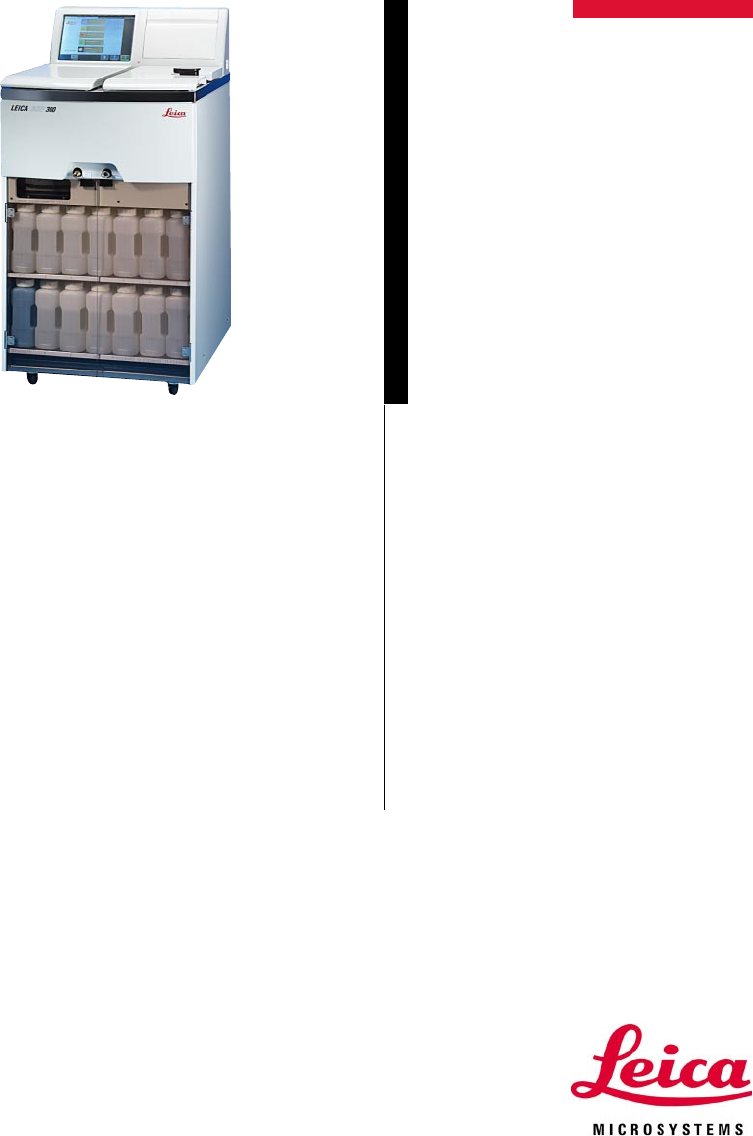
Navigare online o scaricare Manuale Utente per no Leica ASP300. Leica ASP300 User's Manual Manuale Utente
- Pagina / 70
- Indice
- SEGNALIBRI

Sommario
Instruction manualLeica ASP300V1.3 English - 12/2003Always keep this manual together with the instrument.Read this instruction manual carefullybefore
10Instruction manual V 1.3 – 12/20032.3 Integrated safety devicesThe instrument is equipped with the following protection features:• overpressure prot
11Leica ASP3003. Instrument components and specifications3.1 Specific instrument options• Reagent Management System (RMS).• The specimen cassette bas
12Instruction manual V 1.3 – 12/20033.2 Overview - instrument components3. Instrument components and specifications2345136714151617181920212212 11
13Leica ASP300Overview - Instrument components1 - Basic instrument - processor module2 - Basic instrument - reagent module3 - Wax bath lids4 - Retort
14Instruction manual V 1.3 – 12/20033. Instrument components and specifications3.3 Standard delivery - packing listLeica ASP300 basic standard deliver
15Leica ASP3003.4 Technical dataNominal voltage: Two factory-preset voltage settings(not user-adjustable):100 to 120 V + 10% or230 to 240 V +
16Instruction manual V 1.3 – 12/2003RetortCapacity: max. 300 cassettesReagent volume (in liters): 4.3Temperature (paraffin): 40 to 65 °CTemperature (p
17Leica ASP3003. Instrument components and specifications3.4 Technical Data (continued)Hardware and Software:• Large color liquid crystal display (L
18Instruction manual V 1.3 – 12/20033.5 Compatible reagentsFixatives1. Formalin, buffered or unbuffered2. Formalin salineDehydration1. Ethanol 4. Buta
19Leica ASP300Moving the instrumentThe instrument must be installed such that the mains switch atthe rear of the instrument (item no. 5 in Fig. 3) ca
20Instruction manual V 1.3 – 12/20034. Setting up the instrument• Connect mains cable (6) to mains power supply socket (1) (see Fig. 3).• Jumper cable
21Leica ASP3004. Setting up the instrument• Unpack the activated carbon filter and in-sert it into the instrument (see Fig. 4). Makesure to insert th
22Instruction Manual V 1.3 – 12/20034.4 Setting up the data connectionsPrinter (optional)• Lift off the instrument console flap (12).• Connect the pri
23Leica ASP3004.5 Alarm functionsThe Leica ASP300 is equipped with two different alarm functions:Instrument alarmThis alarm is generated from within
24Instruction Manual V 1.3 – 12/2003• After switching it on the instrument will takea few minutes to initialize (see opposite -Fig. 7).• After initial
25Leica ASP300System diagnostics menuIf, during initialization, ‘Touch here...’ is touched (refer Fig. 7) and sub-sequently the supervisor pass-word
26Instruction manual V 1.3 – 12/20034.7 Touch screen functions4.7.1 User interface - overviewThe Leica ASP300 is programmed and operated via a
27Leica ASP3004.7.2. Access controlThe Leica ASP300 may be configured to allow two levels of user ac-cess.Operator access level:• Operators may run p
28Instruction manual V 1.3 – 12/20034. Setting up the instrument4.8 Check list for first operation (at supervisor access level)Parameter settingsEnter
29Leica ASP3005.1 Reagent handling5.1.1 Fill/drain reagents (other than wax)1. Manually changing the reagents• Remove the appropriate reagent bottle
3Leica ASP300NOTEThe information, numerical data, notes andvalue judgments contained in this manual rep-resent the current state of scientific knowl-
30Instruction Manual V 1.3 – 12/2003Select station Press key symbolFig. 12→5. OperationRemote drain• On the screen, select reagent bottle no. 3and the
31Leica ASP3005. Operation5.1.2 Changing the waxDraining the wax• Connect the paraffin drain hose (2) as shownin Fig. 13 and insert the loose end of
32Instruction Manual V 1.3 – 12/2003Fig. 14→→• Remove the splash protector.• Fill the wax bath (Fig. 15) with wax pellets upto the top.• Press BACK an
33Leica ASP300Fig. 16→→Adding molten paraffin• Molten wax may have a maximum temperature of 70°C.• If filling with molten wax, do not fill above the
34Instruction manual V 1.3 – 12/20035.2 Setting up the instrument parametersFrom the start screen, press MENU to go to the MENU FUNCTIONSscreen, th
35Leica ASP300Program OptionsSelection of the options on how programs are carried out.• STATION ALLOCATION: By age or SequentialBy age - RMS is a
36Instruction manual V 1.3 – 12/2003SecurityTo determine the level of access to the instrument.• SUPERVISOR PASSWORD: Enabled or DisabledEnabled - A p
37Leica ASP3005.2.2 Editing the reagent listAdding new reagents1. Enter the reagent name and allocate the new reagent to the reagentgroup it belongs
38Instruction manual V 1.3 – 12/2003Allocation of reagents to the correct reagent group is the basis forcompatibility monitoring. Allocation to th
39Leica ASP300Deleting reagents• Highlight the reagent to be deleted in the SET UP REAGENTS ANDWARNING THRESHOLDS screen.• Press DELETE.• Press OK in
4Instruction manual V 1.3 – 12/2003Table of contents1. Important notes...
40Instruction manual V 1.3 – 12/20035. Operation5.2.3 Viewing the program listThis list (Fig. 20) displays all programs currently existing in theASP30
41Leica ASP3005. Operation5.2.4 Adding and/or modifying programsCreating a new program• You must be logged on at supervisor level.• In the VIEW/EDIT
42Instruction manual V 1.3 – 12/20035. OperationFig. 21Editing program steps• To edit a step, highlight the corresponding line and press the re-specti
43Leica ASP300Editing program steps (continued)Setting a delay stepA so-called ‘delay step’ ensures that a program is finished at a specifiedtime.• H
44Instruction manual V 1.3 – 12/20035.2.5 Favorites (maximum of 5 programs)Favorites can be programmed to end either:• “as soon as possible“ (ASAP) or
45Leica ASP300Assigning a finish day• Press DAY.• Select the desired week day in the list and press OK to confirm.Assigning an icon to a “Favorite“•
46Instruction Manual V 1.3 – 12/2003Fig. 23↓→→Adding / changing reagentsHighlight the desired station.• Press REAGENT NAME.• The SELECT REAGENT entry
47Leica ASP300Fig. 24↓→→5.2.7 Reagent groupsSelecting a new color for a reagent group• Highlight the line containing the reagent color you wish to ch
48Instruction Manual V 1.3 – 12/2003Fig. 25 Fig. 265.3 ProgramsPrograms can be started from two different screens:In the Favorites screen, pressALL PR
49Leica ASP300Fig. 28↓Fig. 29↓Fig. 275.3.1 Editing a selected programTo modify a program prior to starting it, pressEDIT to access the Edit Program s
5Leica ASP300Table of contents5.2.6 Editing the stations ...
5. OperationAccess the RUN OPTIONS function to displaythe options selected for the current program.• LEVEL CHECK enabled:The lower level sensor in th
51Leica ASP300• Press START to start the program. Press OK to confirm the query thatfollows. Enter the number of blocks, if the NUMBER OF BLOCKS op-
52Instruction Manual V 1.3 – 12/2003→5.4 Reagent statusIn the reagent status screen (Fig. 32) you can display and update theactual reagent status of e
53Leica ASP3005. Operation5.5 System MonitorThe SYSTEM MONITOR screen supplies important infor-mation on the Leica ASP300 system status.After replaci
54Instruction Manual V 1.3 – 12/2003Detailed information on how to create and install customer-specific helpfiles can be found in the “What is Custom
55Leica ASP300→→↓↓Printing run logsPrinting is possible when the PRINT symbol is displayed.For the PRINT symbol to be displayed, a printer must have
56Instruction manual V 1.3 – 12/20036.1 GeneralThe Leica ASP300 is equipped with a trouble shooting system.If an error is detected, detailed error mes
57Leica ASP300→6.3 Trouble shooting• Check for error messages indicating the nature of the problem.• Press the Help button on the message for any inf
58Instruction manual V 1.3 – 12/20036.4 Typical fill or drain problemsFill and drain problems may be due to several causes:1. There is insufficient re
59Leica ASP3007. Cleaning and maintenance7.1 Clean programsYou find the clean programs at the end of the programslist (Fig. 35). To display a clean p
6Instruction Manual V 1.3 – 12/20031.1 Symbols used in this manualWarningsappear in a grey box and are markedby a warning triangle .Notes,i
60Instruction manual V 1.3 – 12/2003Editing steps• To edit a program step highlight the corresponding line and pressthe respective table header.• To d
61Leica ASP300→ →7.1.2 Wax clean programs The Leica ASP300 contains a wax clean fea-ture that removes solvents (xylene) from usedwax.Follow the instr
62Instruction manual V 1.3 – 12/20037.1.3 Smart cleanThe Smart Clean prepares the ASP300 for transport.Prior to starting a Smart Clean, a complete ret
63Leica ASP3007.2 General cleaning stepsParaffin wax bathsWarning! Be careful as the walls of the wax baths are very hotand may cause burns!• Wipe th
64Instruction Manual V 1.3 – 12/2003Exchanging the activated carbon filter• Exchange the filter as shown in Fig. 40.• Replace the filter at least ever
65Leica ASP3007.3.1 Daily cleaning and maintenanceCleaning the retort lid• Remove wax from the inside of the retort lid with the plastic scraperprovi
66Instruction manual V 1.3 – 12/2003This procedure is particularly important with bottles containingchloroform. Chloroform tends to swell the bottle s
67Leica ASP3007. Cleaning and maintenanceMaintenance activity daily weekly monthly every4 monthsLubricate reagent bottle O-rings √√∗and check for dam
68Instruction manual V 1.3 – 12/20037. Cleaning and maintenanceMaintenance activity daily weekly monthly every4 monthsInspect and, if necessary, √clea
69Leica ASP3008. Warranty and serviceWarrantyLeica Microsystems Nussloch GmbH guarantees that the contractualproduct delivered has been subjected to
7Leica ASP3002. Safety2.1 Safety instructionsThis instruction manual includes important in-formation related to the operating safety andmaintenance o
70Instruction manual V 1.3 – 12/2003Notice
8Instruction manual V 1.3 – 12/20032. Safety2.2 WarningsThe safety devices installed in this instrument by the manufacturer only constitute the basisf
9Leica ASP300Warnings - working with the instrumentThe Leica ASP300 may only be operated by trained laboratory personnel and as per the
Prodotti e manuali riguardandi no Leica ASP300
 (58 pagine)
 (44 pagine)


 (77 pagine)
(51 pagine)
(77 pagine)
(51 pagine)
 (6 pagine)
(74 pagine)
(20 pagine)
(123 pagine)
(258 pagine)
(160 pagine)
(30 pagine)
(154 pagine)
(29 pagine)
(6 pagine)
(74 pagine)
(20 pagine)
(123 pagine)
(258 pagine)
(160 pagine)
(30 pagine)
(154 pagine)
(29 pagine)
© 2020, manymanuals.it. Tutti i diritti riservati | 0.041 s |
 Manymanuals.com
 Manymanuals.de
 Manymanuals.fr
 Manymanuals.it
 Manymanuals.pl
 Manymanuals.cz
 Manymanuals.es
 Manymanuals-pt.com
Commenti su questo manuale